Merchant Ops Simplified

Kuma from KIRAPAY
We showed you how checkout works in the last one.
QR scan. Wallet detection. Direct settlement. Non-custodial. Done.
But what if your customer isn’t standing in front of you?What if they’re across the city. Across the country. Asleep. Or just… somewhere else?
Enter: Payment Links.
Three Scenarios. One Solution.
Scenario A: The Freelancer
Maya is a motion designer. She just finished a 3-week project for a brand in Singapore.* She sends the final files. Now she needs to get paid. She opens KIRAPAY, generates a link, and drops it in the chat.
Client clicks. Picks whatever wallet/token they hold. Pays.
Maya gets USDC directly in her wallet. No invoice platform. No 5% fee. No “please connect to MetaMask” friction.
Payment Link did the work.
Scenario B: The Creator
Alex runs a small newsletter on crypto culture. No storefront. Just a “Buy me a coffee” link in bio. But most “coffee” links only take card, or only take ETH on mainnet. Alex’s readers hold SOL. They hold OP. They hold BNB.
KIRAPAY Link in Bio. Reader clicks. Picks whatever they have. Instant.
Alex wakes up to +0.2 ETH worth of mixed tokens, all settled directly.
Scenario C: The Shop Owner
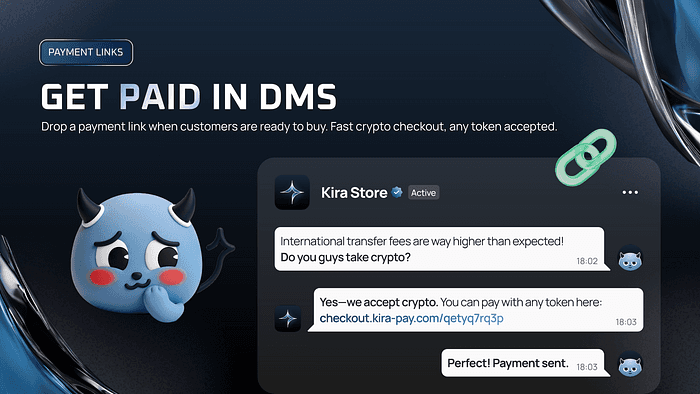
Jen sells vintage furniture on Instagram DMs. Someone wants a 1970s armchair. Asks for a deposit to hold it. Jen messages a KIRAPAY Payment Link:
“20% deposit to reserve.”
Customer pays from their Trust Wallet. Jen sees confirmation instantly. Chair is reserved.
No spreadsheets. No “Did the payment go through?” No chasing.
How Payment Links Actually Work
It’s the same checkout flow — just remote.
Merchant clicks “Create Link”
Set amount (fixed or open)
Set description (optional)
Share anywhere: DM, email, Notion, Linktree, carrier pigeon
Customer opens link on any device.
Scan with mobile wallet? Yes.
Copy address and pay from desktop? Yes.
700+ wallets. 2,000+ tokens. 70 chains.
Funds settle directly to your wallet. No KIRAPAY custody. No withdrawal step. Just confirmation and done.
What Merchants See After Payment
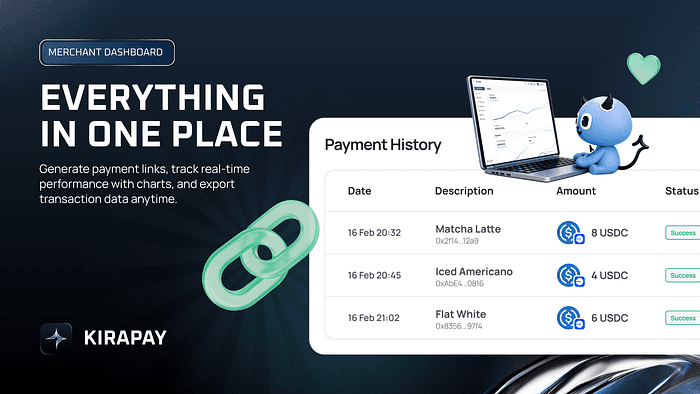
We are builders. We don’t sell vaporware. Here is exactly what’s in your dashboard today:
Available Now
Live transactions — Real-time payment confirmations
Payment Link management — Create, copy, reuse, archive
Basic revenue view — See total settled volume, filter by date
Transaction status — Completed, pending, expired
2FA security — Every merchant session protected
Coming Soon (Being Honest With You)
Refund management — Currently manual. Automated refunds are on the roadmap. If you need to refund today, DM us — we’ll help.
CSV exports — Coming in February
Multi-user access — For teams who need shared dashboard access
Advanced reporting — Tax reports, payout summaries, token breakdowns
We believe in shipping first, then iterating. You get value today. You get more value tomorrow.
Security Note
Every merchant dashboard session is 2FA secured.
We take a light-trust approach: just enough protection to keep bad actors out, not enough friction to annoy you.
What This Means For You
If you sell anything, anywhere — A service, a product, a coffee, a deposit, a commission, a file, a membership — You now have a checkout link that works with every wallet, every chain, instantly.
No onboarding forms. No compliance quizzes. No “We’ll review your application in 3–5 business days.”
Generate. Share. Get paid.
Who Payment Links Are For
Freelancers who want to stop chasing invoices
Creators who want their link in bio to actually work for crypto audiences
DM sellers who transact in DMs, not shopping carts
Agencies collecting retainers from international clients
Anyone who needs to get paid and doesn’t want to ask “What chain do you use?”
KIRAPAY 1.0 is live.
QR codes. Payment Links. Direct settlement. Non-custodial.
👉 Request access here: https://kiratechnologies.app.n8n.cloud/form/100a09a4-5105-4692-b62a-dbc6a235e7fe
— Team KIRAPAY
Next week: Part 3 — The Merchant Experience Deep Dive (dashboard tour, analytics, and what’s next on the roadmap).